



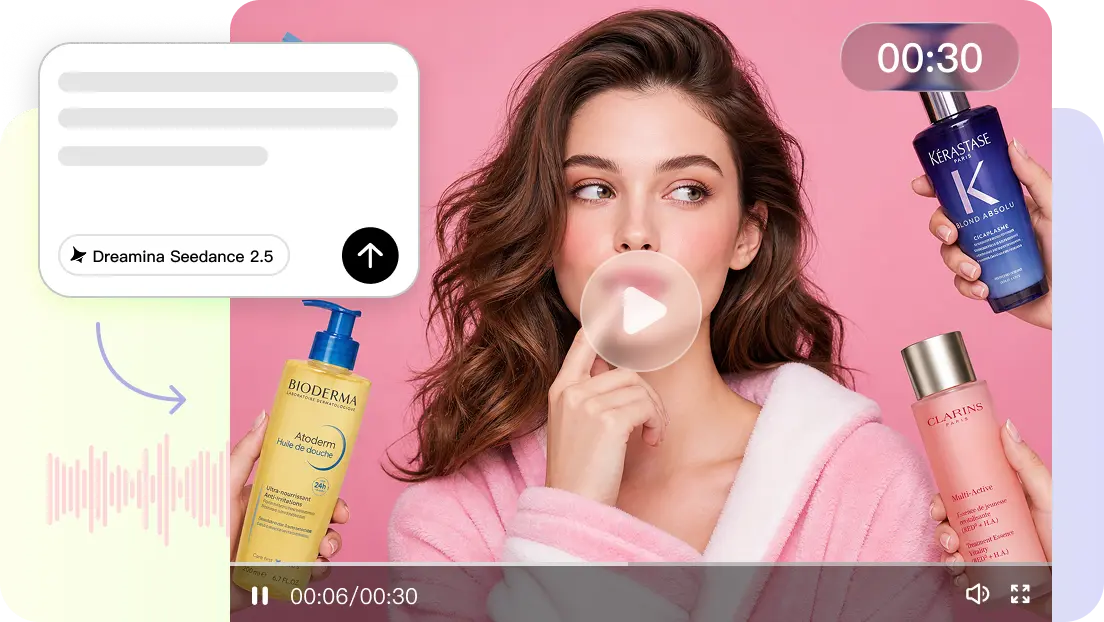
Humor works well with short-form social media, as it can be understood within seconds. A funny video can include expressions, timing, captions, sounds, and unexpected actions all in one memorable moment. Pippit facilitates the creation of concepts for short-form videos from prompts, links, files, and media without the need for complex production steps. Its AI video generator ensures that these elements are all integrated, along with multilingual content and adaptable creative workflows. Good humor requires a clear premise, good contrast, good timing, and a good pay-off.
Define the Comedy Structure Before Generating the Clip
The formula for a good funny social clip is typically setup, escalation, surprise, and pay-off. The setup sets up what the audience should anticipate, and the escalation makes it progressively unusual. That surprises the expectation, and the payoff provides the punchline. AI video generator Pippit can help you take a simple idea and transform it into a visual concept, but there should be a clear creative direction. For instance, if a character is effectively selling a very simple product, they become funny if an unexpected event occurs while the sales pitch is going on. Reaction clips, absurd scenarios, meme-style videos, and funny story videos are best suited to formats where the main punchline can be grasped within a limited time frame.
Use Prompts to Control Humor, Expressions, and Visual Timing
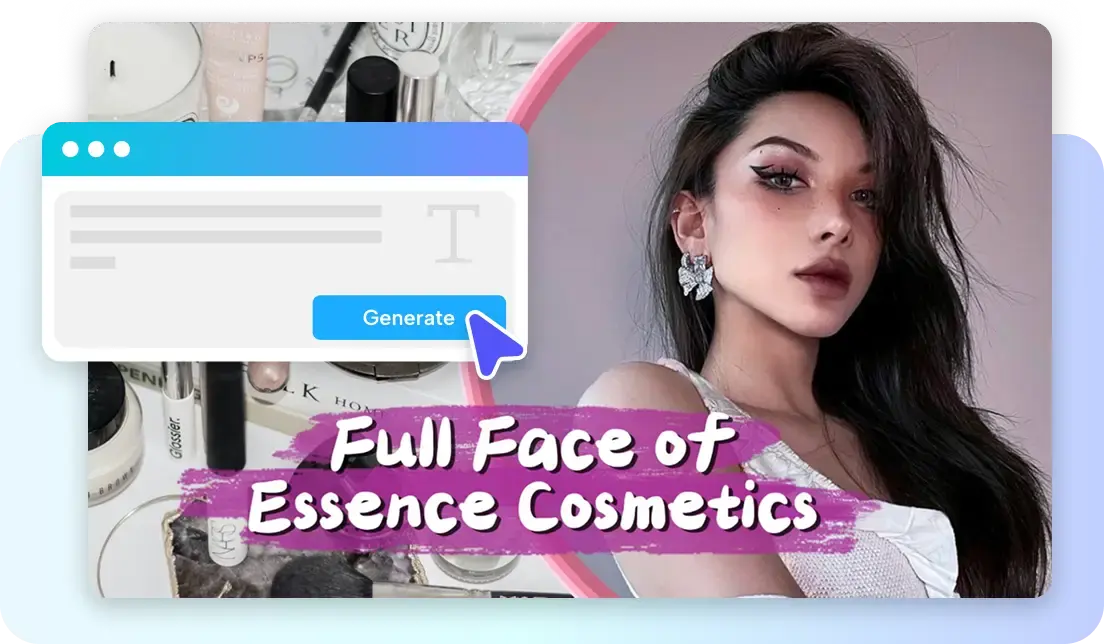
A detailed prompt provides Pippit with more direction with expressions, action, relationships, and comedic timing especially while using Seedance 2.5. Explain exaggerated facial expressions, unexpected actions, pauses for the joke, or changes in the scene that help the joke. Any voice or caption should be in line with the same comedic beat, not with new information. Write descriptions of character interactions with objects and reasons for each interaction. A prompt could be a character who is opening a package with confidence, and then realizes there is something inside that is very different than what they had anticipated. Do not put multiple unrelated jokes in a single prompt. Often one good comedic idea will lead to a better “sequence of visuals” than a “busy concept.
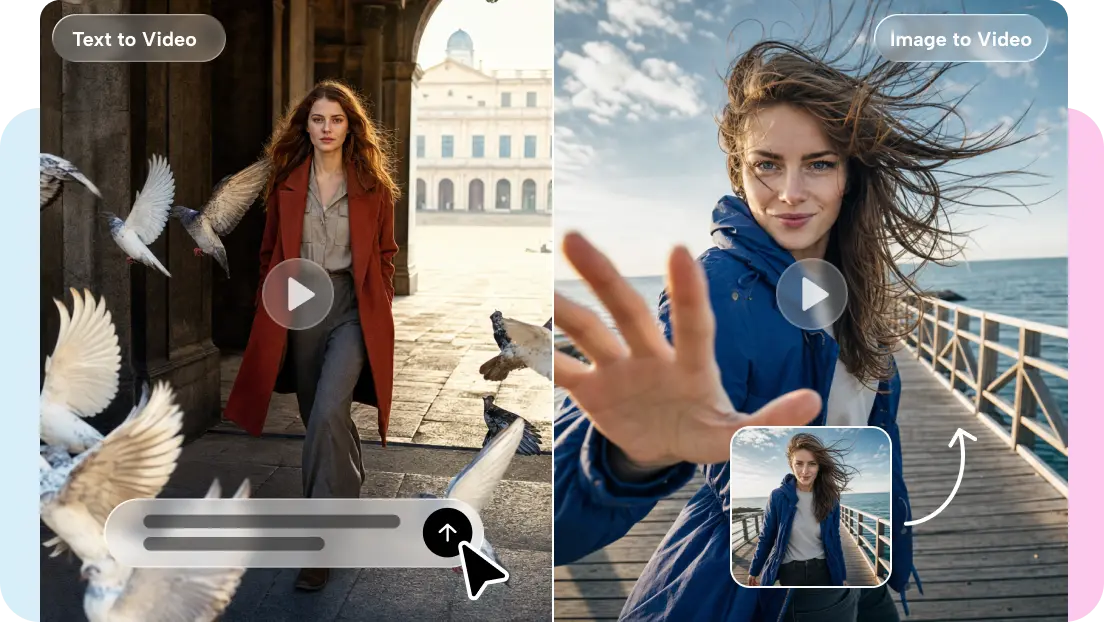
Steps to Produce Funny Social Clips Easily with an AI video generator
Step 1: Create Your Funny Concept
- Sign up for Pippit using your Google, TikTok, or Facebook account.
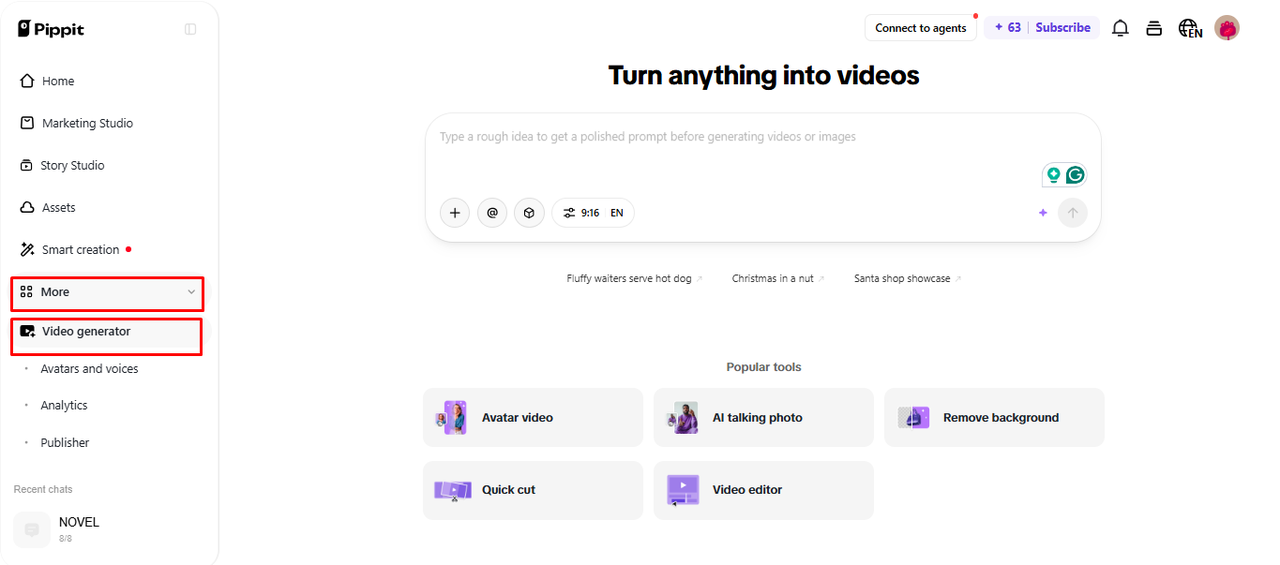
- Open “More” from the left menu and select “Video generator”

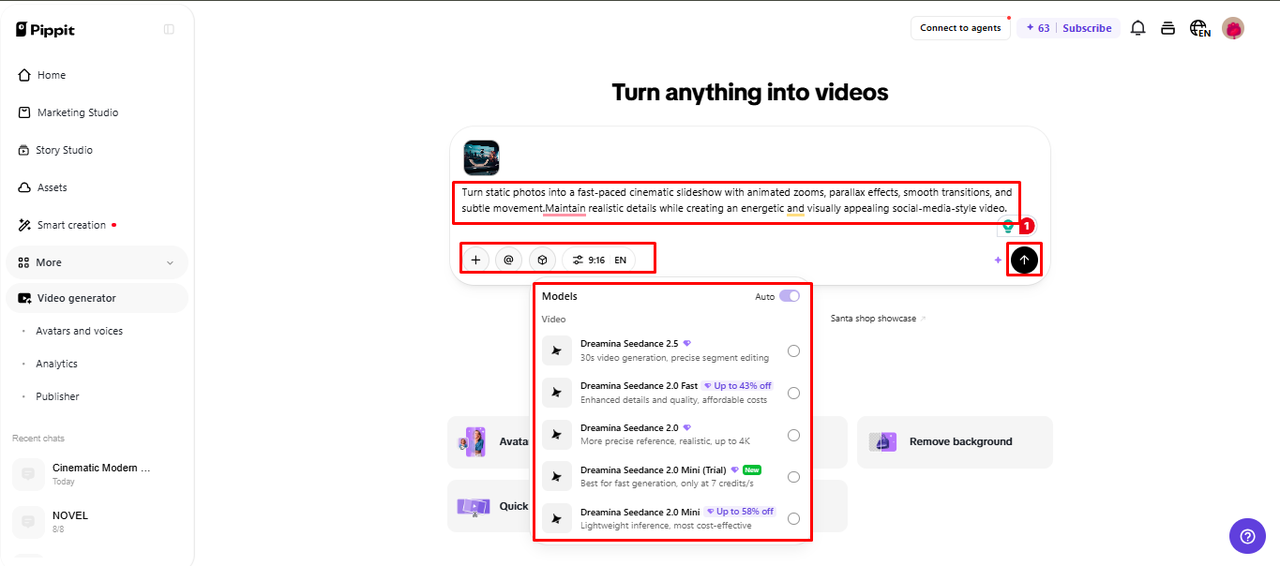
- Select an AI model, including Dreamina Seedance 1.0, Dreamina Seedance 2.0, Dreamina Seedance 2.0 Fast, Dreamina Seedance 2.0 Mini, or Dreamina Seedance 2.5.
- Enter a prompt describing the characters, actions, expressions, setting, timing, and humor.
- Choose the video length, language, subtitles, and aspect ratio.
- Click “+” to upload reference images or videos from your device, phone, Dropbox, or a link. You can also select existing assets.
- Review your settings and click “Generate”.
Step 2: Turn It into a Social Clip
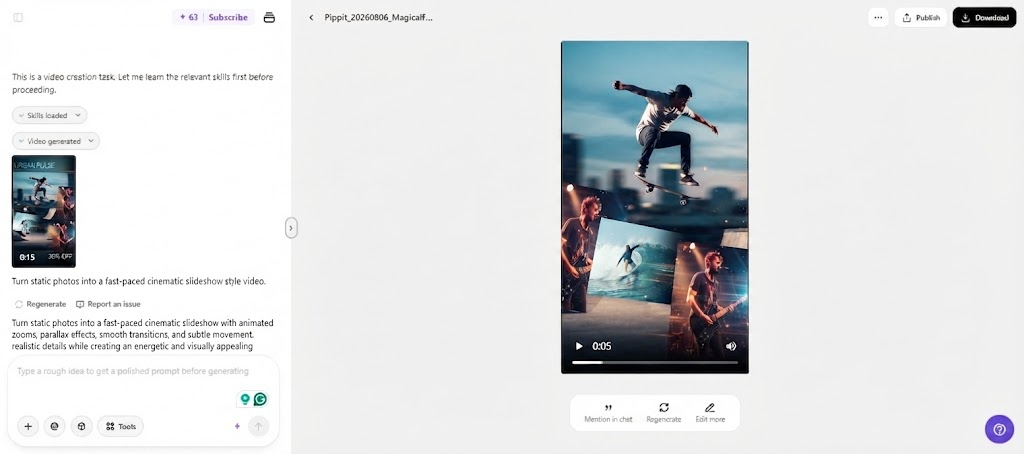
- After clicking “Generate“, Pippit creates the video using your prompt and reference media.
- The AI manages transitions, pacing, captions, avatars, voice, lyrics, and visual enhancements.
- Review the draft and check the timing, captions, and funny moments.

Step 3: Polish and Share
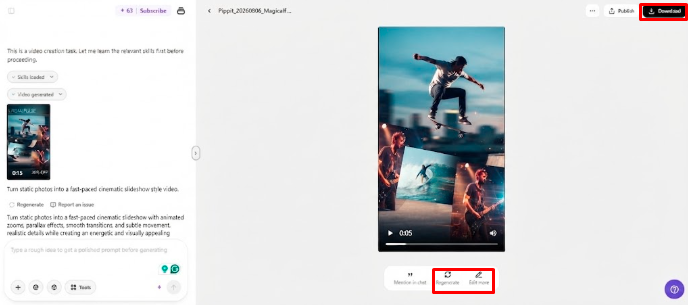
Use “Download” at the top right to save the video. Select “Regenerate” for another version or “Edit more” for manual changes.
- Edit captions, add text, and adjust size, color, alignment, filters, and effects.
- Add background music, remove backgrounds, or refine the visuals.
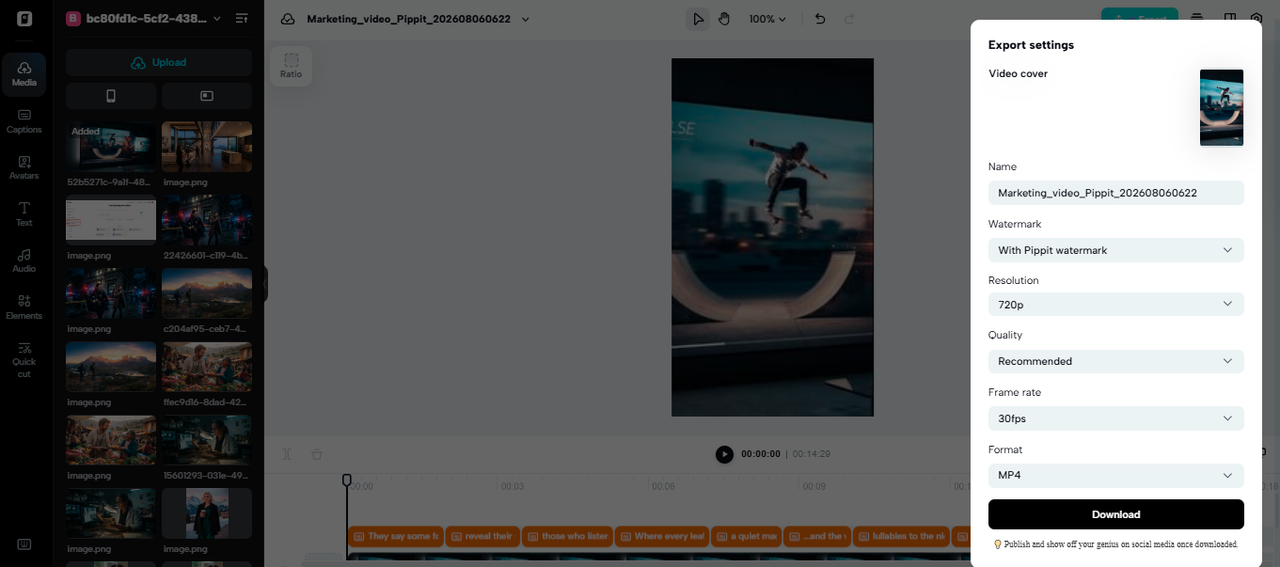
- Click “Export” when the clip is ready.
- Choose “Publish” for TikTok, Instagram, or Facebook, or click “Download” and select the format, resolution, frame rate, and quality.
Build Different Types of Funny Social Clips
Pippit offers a variety of entertaining formats without changing the production workflow:
- Meme videos: Create funny videos with images, quotes, trending topics, captions, and short scenarios.
- Funny avatar videos: Perform funny narration with exaggerated delivery to make entertaining videos with characters.
- Unexpected product situations: Set-up contrast by putting familiar products into unusual or extreme settings.
- Gaming humor: Post video clips of your game and include custom scripts, captions, reactions, or funny voice-over.
- Fictional situations: Create short scenes in which someone misunderstands, responds awkwardly, faces an unexpected situation, or is presented with a surprise image.
Use Captions, Voice, and Sound to Strengthen the Joke
When the audience is viewing without the audio, captions can help them catch punch lines. Pippit’s editing process enables text and subtitles to be integrated into the rhythmic flow of the video. It also influences humor due to the delivery of the voice, which would influence the way the viewers interpret an ordinary line. A serious voice can make an absurd situation funnier, and a dynamic voice can make a reaction stronger. Background music can create tension leading up to a visual payoff, but should not overshadow dialogue. Accents of sound effects are most effective. Aligning dialogue, subtitles, sound effects, music, and movements to one comedic moment will help to bring a tighter result.
Adapt One Funny Concept for Different Social Formats
One great idea can go on many social media platforms if the framing and timing of the content is tweaked. For the vertical format, subject placement is important as there is limited horizontal space. Use keywords, phrases, products, and visual actions within the main viewing zone. Another advantage of short-form content is the swift opening, as viewers quickly make the decision to continue watching. Subtitles can help people who watch without sound and enhance understanding in situations where there is background noise. Pippit can be used to create alternate versions by altering aspect ratios, captions, openings, punchlines, or visual sequences. This makes it easier to tweak one creative idea to make many presentations without having to start over on the whole thing.
Refine AI Humor Without Losing the Original Idea
Sometimes, AI-generated humor can result in weak punchlines, unnatural expressions, confusing sequences, or over-the-top visual effects. First, pinpoint the issue rather than altering the idea. When the problem is one of character behavior, timing, tone, or direction of a scene, a prompt revision is useful. Manual editing is best done when the generated concept is good, but the captions need to be cleaned up, the pauses shortened, the effects reduced, etc. Vary one major creative variable each regeneration to see how this influences. If a joke doesn’t come out fast enough, cut out all the setup. Keep the characters, setting, and visual relationships uniform so that it is easy for viewers to follow without having to go through an explanation.
Conclusion
Great funny clips need more than just an outlandish idea. They need to have a familiar setup, planned timing, meaningful responses, helpful captions, appropriate tone and volume, and visual variation. Pippit offers a user-friendly way to generate, edit, and publish short-form videos with AI, offering a practical workflow for creating video content. There are clear prompts that provide more creative direction to each humorous concept before generation. Creators can create, review, develop, and export repeatable concepts using Pippit and produce short social videos with a consistent production style.